About#
Log Analyzer helps you upload Cisco Collaboration log files and convert them into actionable troubleshooting output. It combines communication flow visualization, cross-product data correlation, and automated issue detection.
The supported products and parsing scope are documented in Product and feature support.
Key capabilities#
Log visualization - Presents signaling and media activity in a readable format so you can follow call behavior faster.
Data correlation - Correlates related flows across multiple uploaded products and shows them as one end-to-end view.
Automatic issue detection - Runs parsed data against diagnostic signatures to identify known issues and provide guidance.
Typical workflow#
Upload one or more log files.
Start analysis to parse system data and communication flows.
Review diagnostics and correlated call flows.
Use the output to validate behavior and focus remediation.
For step-by-step instructions, see csa.callengine.userguide.
Log visualisation#
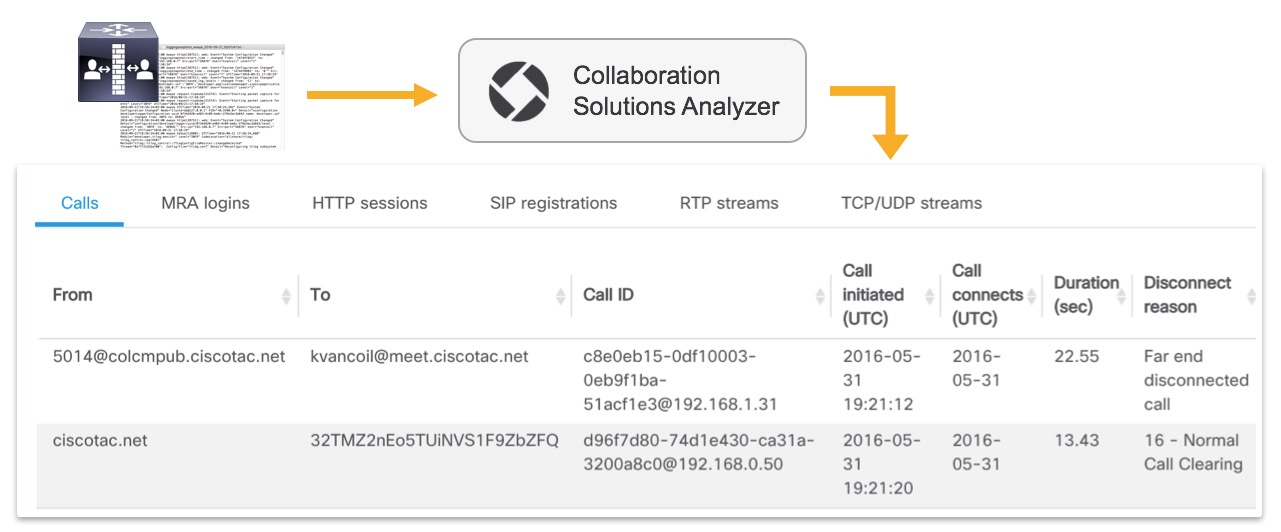
The tool reduces the need to manually read raw logs from different Cisco Collaboration products by presenting detected communication flows in a structured, readable view.
Data correlation#
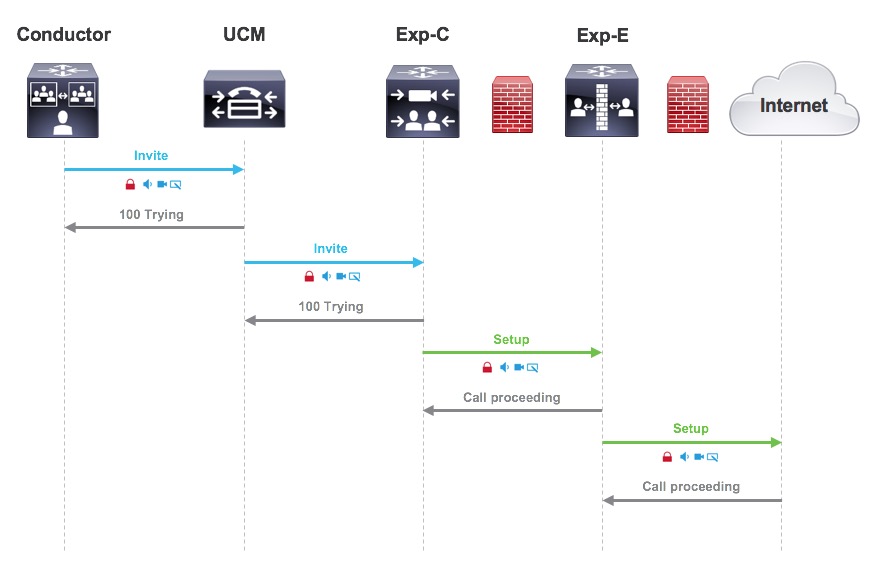
When multiple products are analyzed together, Log Analyzer parses each dataset and correlates matching communication flows across products. The output is an end-to-end flow diagram across components.
Automatic issue detection#
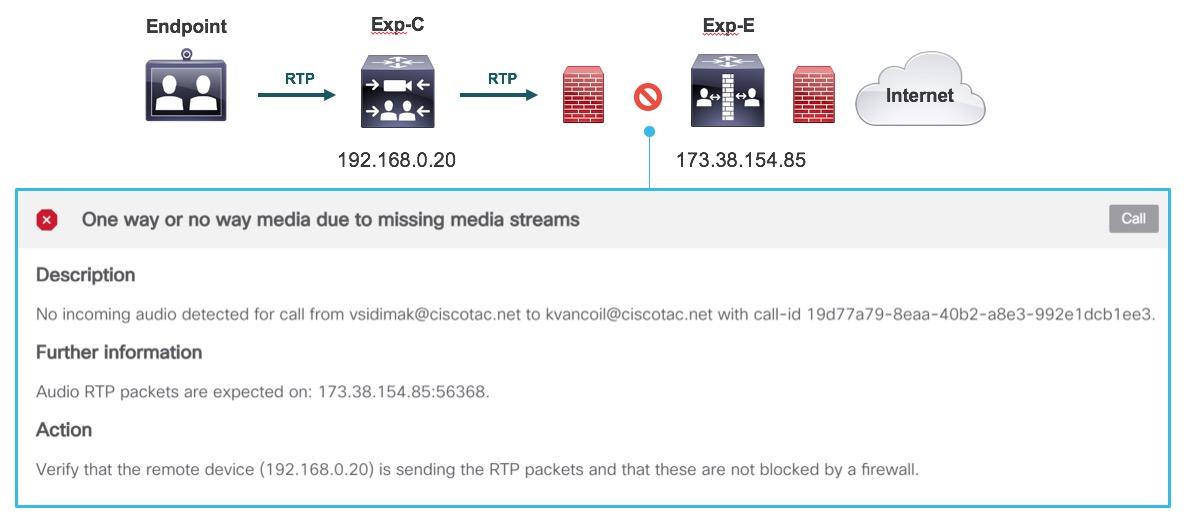
Parsed data is evaluated against diagnostic signatures that detect known defects, common issues, and potential misconfigurations, with recommended next actions.
Note
This analysis accelerates troubleshooting, but it does not replace full engineering review. Always validate findings with deployment context and product documentation.