About#
Key Features#
Analyze existing Local Gateway configuration before issues impact end users.
Highlight potential misconfigurations and provide guidance for correction.
Generate a deployment-specific reference configuration baseline in the results.
Support both Webex Cloud-managed and on-premises gateway models.
Supported Deployment Types#
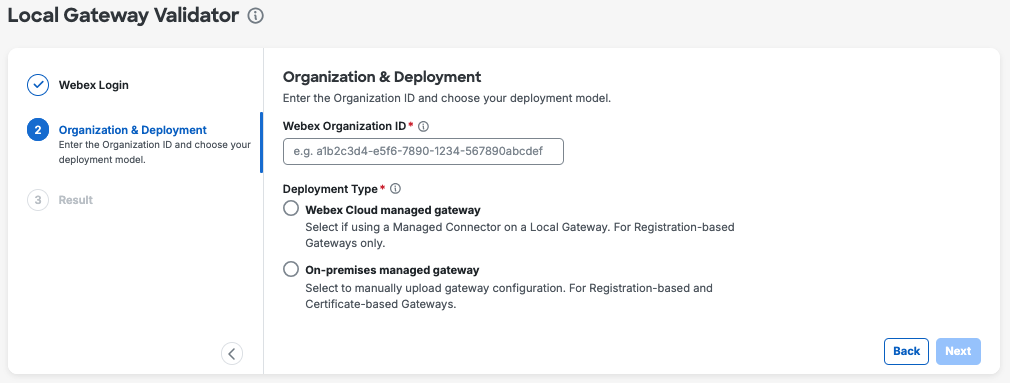
Webex Cloud managed gateway - For registration-based gateways only when Managed Connector on a Local Gateway is used.
On-premises managed gateway - For registration-based and certificate-based gateways, to manually upload gateway configuration.
Note
To install the Managed Connector on your local gateway, refer to the “Onboarding and troubleshooting using a cloud connector” section in the Get started with Local Gateway guide.
Input#
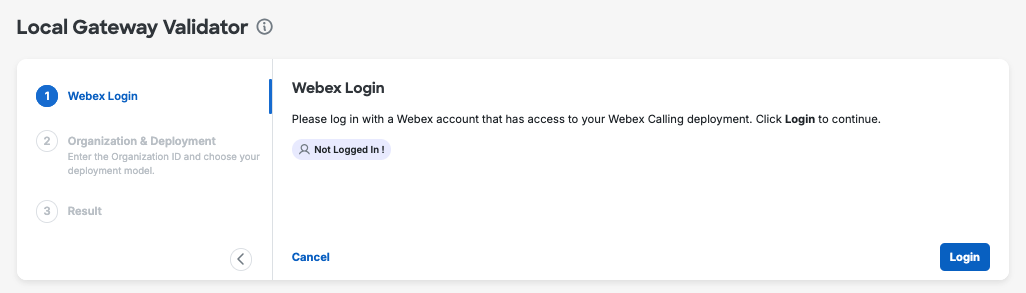
Start by logging in to Webex account.
Important
The account used to log in must be an administrator account for the Webex Organization where the Local Gateway is deployed.
Then provide your Organization ID and select the deployment type. Based on the deployment type selected, you will be asked to provide the Local Gateway configuration details either by uploading the configuration file or by copying and pasting the configuration text.
Output#
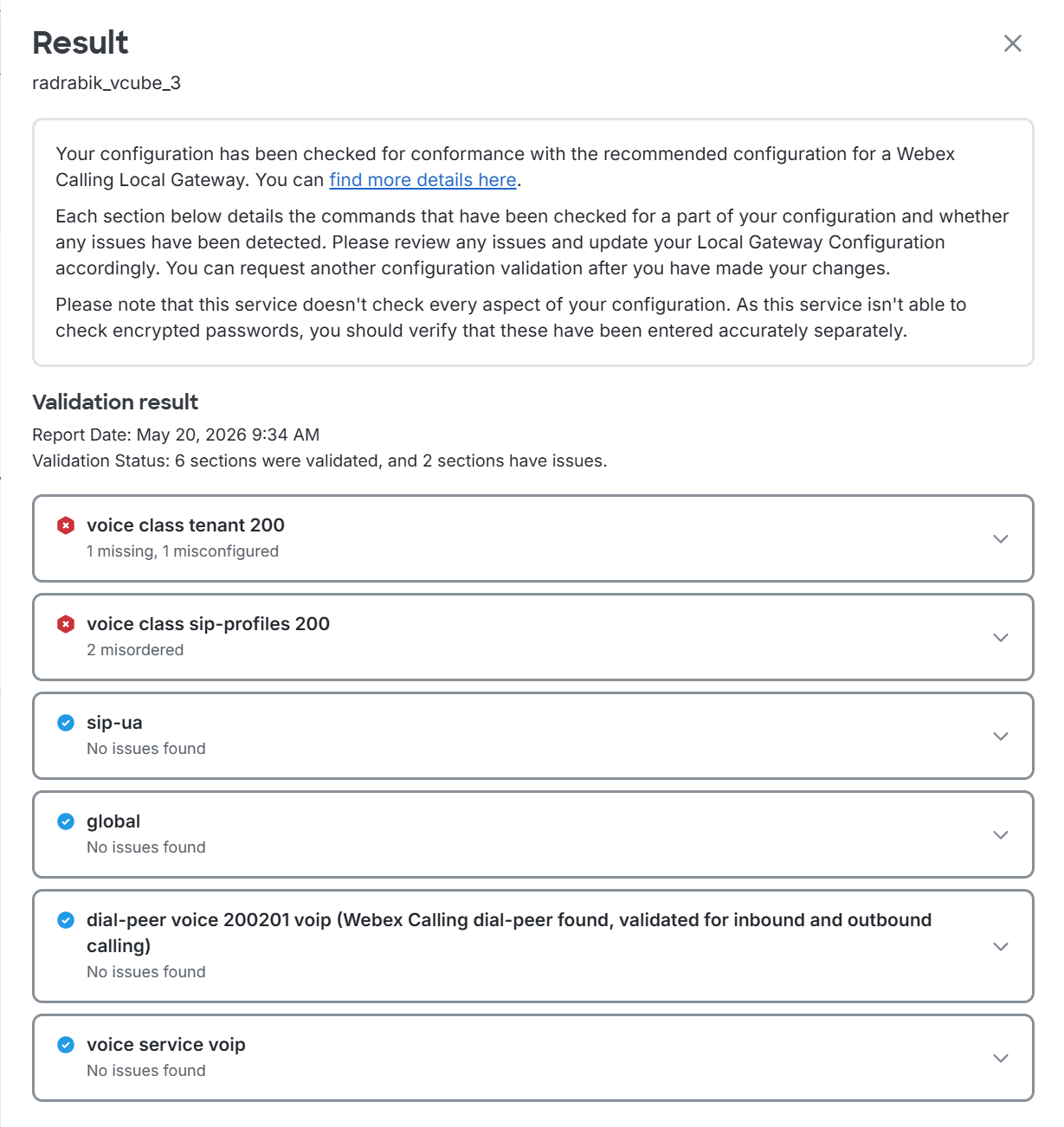
- The validation result is organized into sections, each showing summary of the potential issues. The following statuses can be seen:
No issues found
Missing - some of the commands are missing from configuration.
Misconfigured - the command is in place but with invalid parameters.
Misordered - the command is in place but with wrong order (typically seen for sip profiles)
- Expand each section to get more details:
Potential issues details
Reference configuration: Tailored to your deployment (Trunk specific details automatically populated for your convenience)