Usage Example#
This section describes a typical end-to-end workflow for the SIP Profile Tester (SPT) inside Collaboration Solution Analyzer (CSA).
Example: Adding SIP Header#
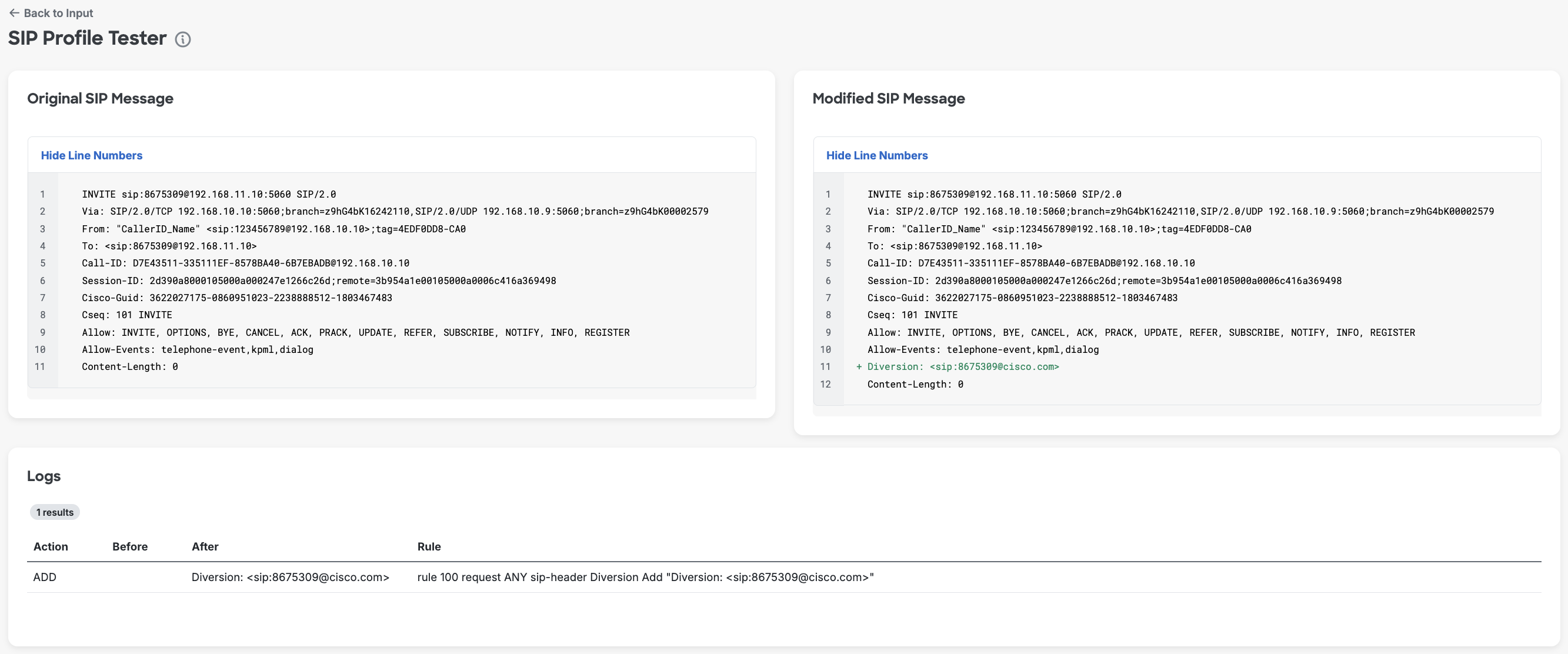
In this example, we use the predefined template “Add: SIP Header” and adjust it to our needs by changing the domain from example.com to cisco.com. This template adds the Diversion header into the SIP message.
SIP Profile Rules (example):
rule 100 request ANY sip-header Diversion Add "Diversion: <sip:8675309@cisco.com>"
Result:
After you run Run Test, the Diversion header “Diversion: <sip:8675309@cisco.com>” is added to the original SIP message. The added value is marked in green.
Example: Modifying SIP Header#
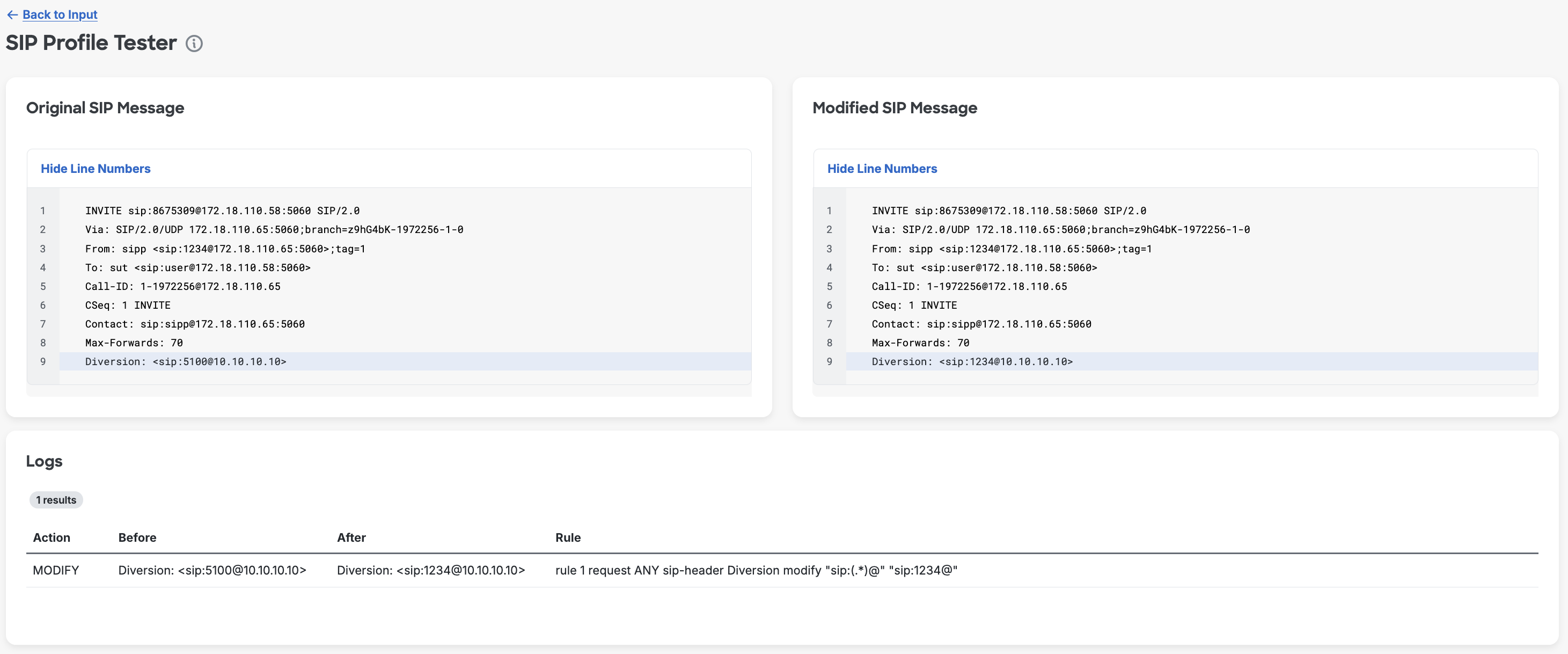
A common task is to normalize a Diversion header on an INVITE. In this example, we modify the Diversion header using a rule that applies pattern matching and replacement.
SIP Profile Rules (example):
rule 1 request ANY sip-header Diversion modify "sip:(.*)@" "sip:1234@"
SIP message to apply rules to (excerpt):
INVITE sip:8675309@172.18.110.58:5060 SIP/2.0
Via: SIP/2.0/UDP 172.18.110.65:5060;branch=z9hG4bK-1972256-1-0
From: sipp <sip:1234@172.18.110.65:5060>;tag=1
To: sut <sip:user@172.18.110.58:5060>
Call-ID: 1-1972256@172.18.110.65
CSeq: 1 INVITE
Contact: sip:sipp@172.18.110.65:5060
Max-Forwards: 70
Diversion: <sip:5100@10.10.10.10>
Result:
After you run Run Test, compare the Original SIP Message and Modified SIP Message panes and review Logs as needed. The exact change can be found there. The modified value is highlighted in blue in both panes.
Example: Deleting SIP Header#
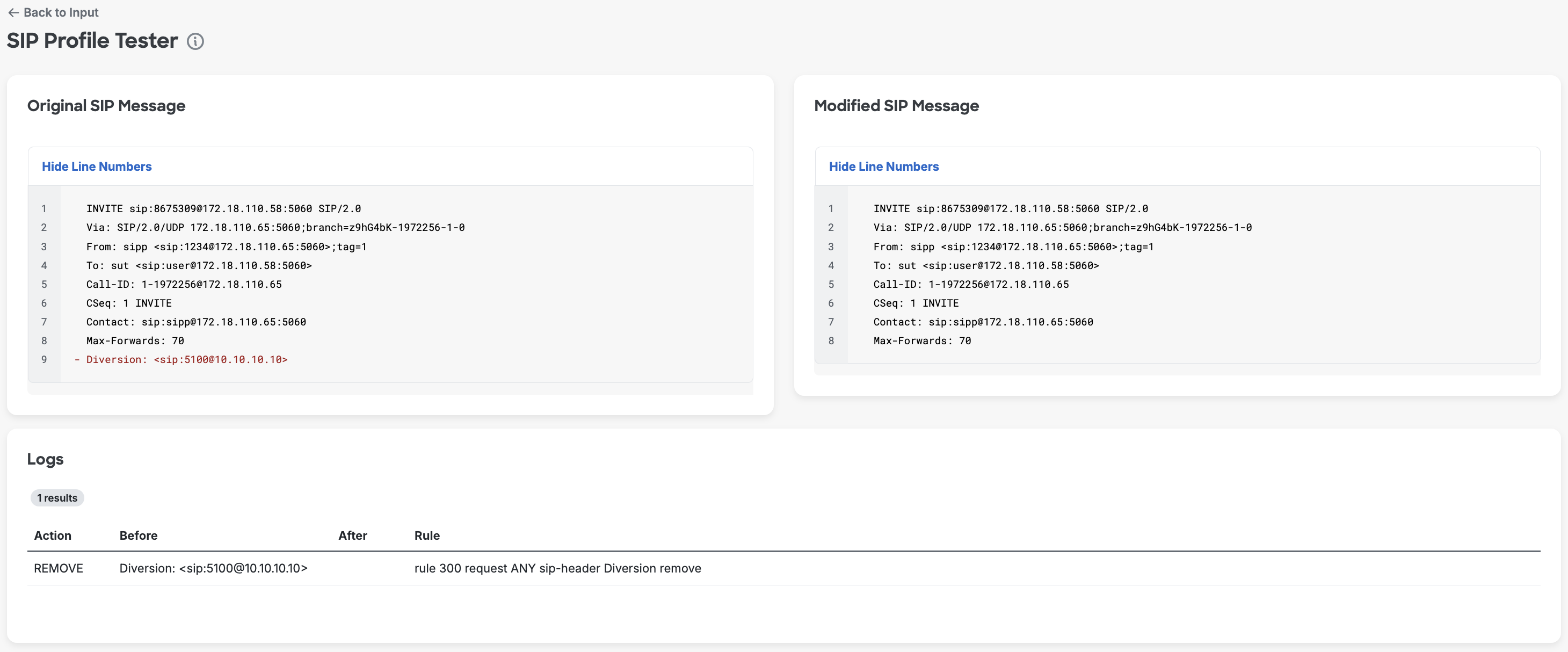
In this example, we remove the Diversion header from the SIP message. The rule below removes the Diversion header from all SIP requests.
SIP Profile Rules (example):
rule 300 request ANY sip-header Diversion remove
SIP message to apply rules to (excerpt):
INVITE sip:8675309@172.18.110.58:5060 SIP/2.0
Via: SIP/2.0/UDP 172.18.110.65:5060;branch=z9hG4bK-1972256-1-0
From: sipp <sip:1234@172.18.110.65:5060>;tag=1
To: sut <sip:user@172.18.110.58:5060>
Call-ID: 1-1972256@172.18.110.65
CSeq: 1 INVITE
Contact: sip:sipp@172.18.110.65:5060
Max-Forwards: 70
Diversion: <sip:5100@10.10.10.10>
Result:
After you run Run Test, the Diversion header is removed from the modified message and highlighted in red in the original message.
Example: Using Peer-SIP Message#
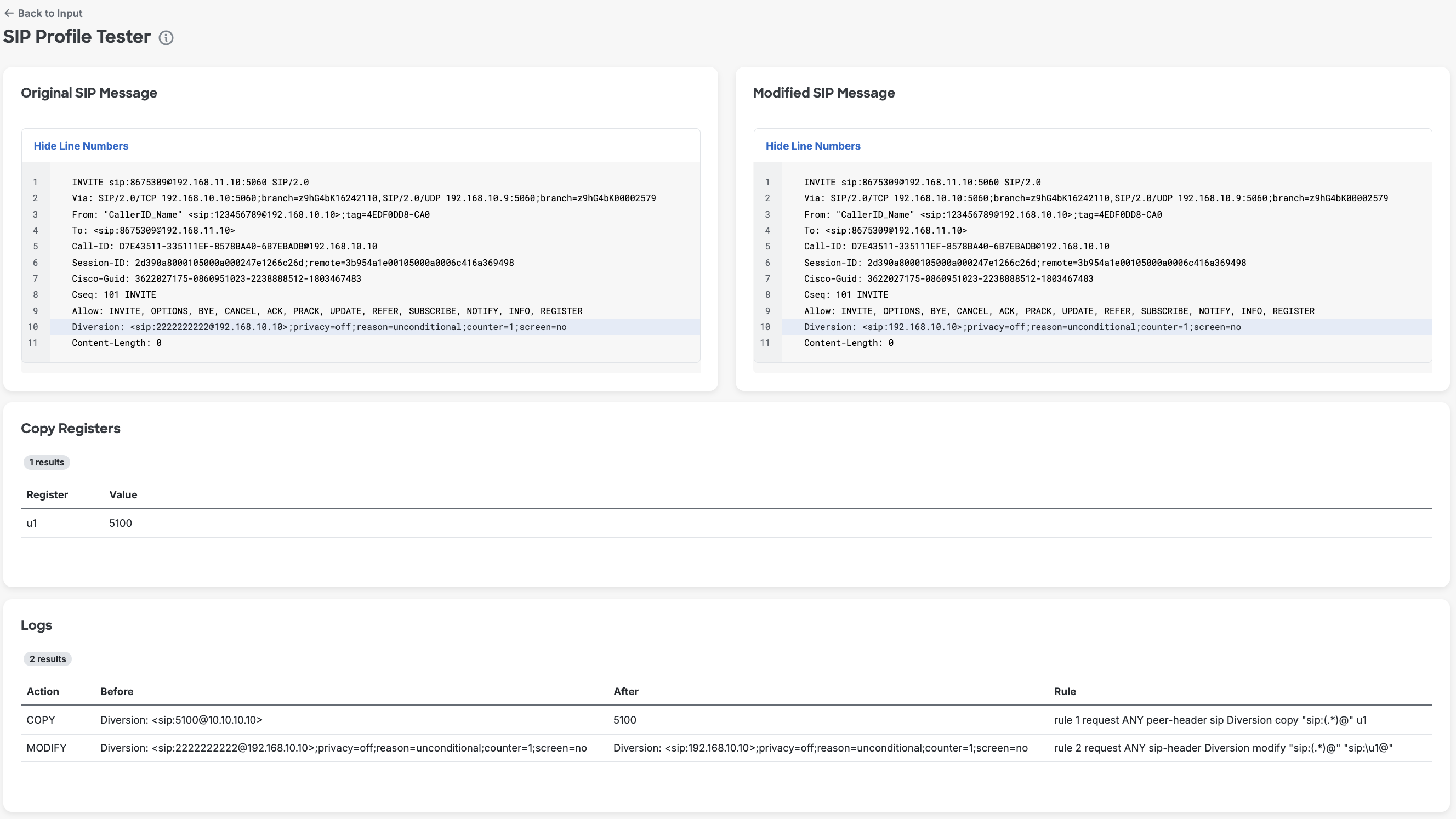
This example demonstrates how to use the Peer SIP message as a source for modification. Multiple rules can be used within the same profile. In this example, we first copy the value from the peer-message to register u1 and then use it for modification. The first rule copies the Diversion header value from the Peer SIP message, and the second rule applies this value to the original message.
Note: The peer-message is required if any of the SIP Profile Rules contains the ‘peer-header’.
SIP Profile Rules (example):
rule 1 request ANY peer-header sip Diversion copy "sip:(.*)@" u1
rule 2 request ANY sip-header Diversion modify "sip:(.*)@" "sip:\u1@"
SIP message to apply rules to (excerpt):
INVITE sip:8675309@192.168.11.10:5060 SIP/2.0
Via: SIP/2.0/TCP 192.168.10.10:5060;branch=z9hG4bK16242110
Via: SIP/2.0/UDP 192.168.10.9:5060;branch=z9hG4bK00002579
From: "CallerID_Name" <sip:123456789@192.168.10.10>;tag=4EDF0DD8-CA0
To: <sip:8675309@192.168.11.10>
Call-ID: D7E43511-335111EF-8578BA40-6B7EBADB@192.168.10.10
Session-ID: 2d390a8000105000a000247e1266c26d;remote=3b954a1e00105000a0006c416a369498
Cisco-Guid: 3622027175-0860951023-2238888512-1803467483
Cseq: 101 INVITE
Allow: INVITE, OPTIONS, BYE, CANCEL, ACK, PRACK, UPDATE, REFER, SUBSCRIBE, NOTIFY, INFO, REGISTER
Diversion: <sip:2222222222@192.168.10.10>;privacy=off;reason=unconditional;counter=1;screen=no
Content-Length: 0
SIP peer-message (source of Diversion header value):
INVITE sip:8675309@172.18.110.58:5060 SIP/2.0
Via: SIP/2.0/UDP 172.18.110.65:5060;branch=z9hG4bK-1972256-1-0
From: sipp <sip:1234@172.18.110.65:5060>;tag=1
To: sut <sip:user@172.18.110.58:5060>
Call-ID: 1-1972256@172.18.110.65
CSeq: 1 INVITE
Contact: sip:sipp@172.18.110.65:5060
Max-Forwards: 70
Diversion: <sip:5100@10.10.10.10>
Result:
The Diversion header value from the peer message is copied to the register u1 with the first rule and then used in the second rule to modify the original message. The modified value is highlighted in blue in the modified message.