Clients and Endpoints#
Webex App#
Supported log types
Webex App problem report logs
ced.datfile (optional, used to restore PII in the collected logs)
Collection method
Upload the Webex App log file generated from the client. For detailed log collection steps across supported devices, refer to this document.
Note
To restore PII in the log output, upload the ced.dat file associated with the collected logs.
Supported Views
The Log Analyzer provides multiple views for analyzing Webex App logs:
System information
General - overview of the system and Webex App environment (Application and host information)
Calling - UCM calling configuration details
Configuration - other configuration details (e.g., Call on Webex, Advanced Calling, Single Sign-On)
Performance - CPU and memory usage, service connection status
Log overview
Calls - list of the calls found in the attached logs, click on particular call to view the call details
HTTP transactions - HTTP messages captured in the logs
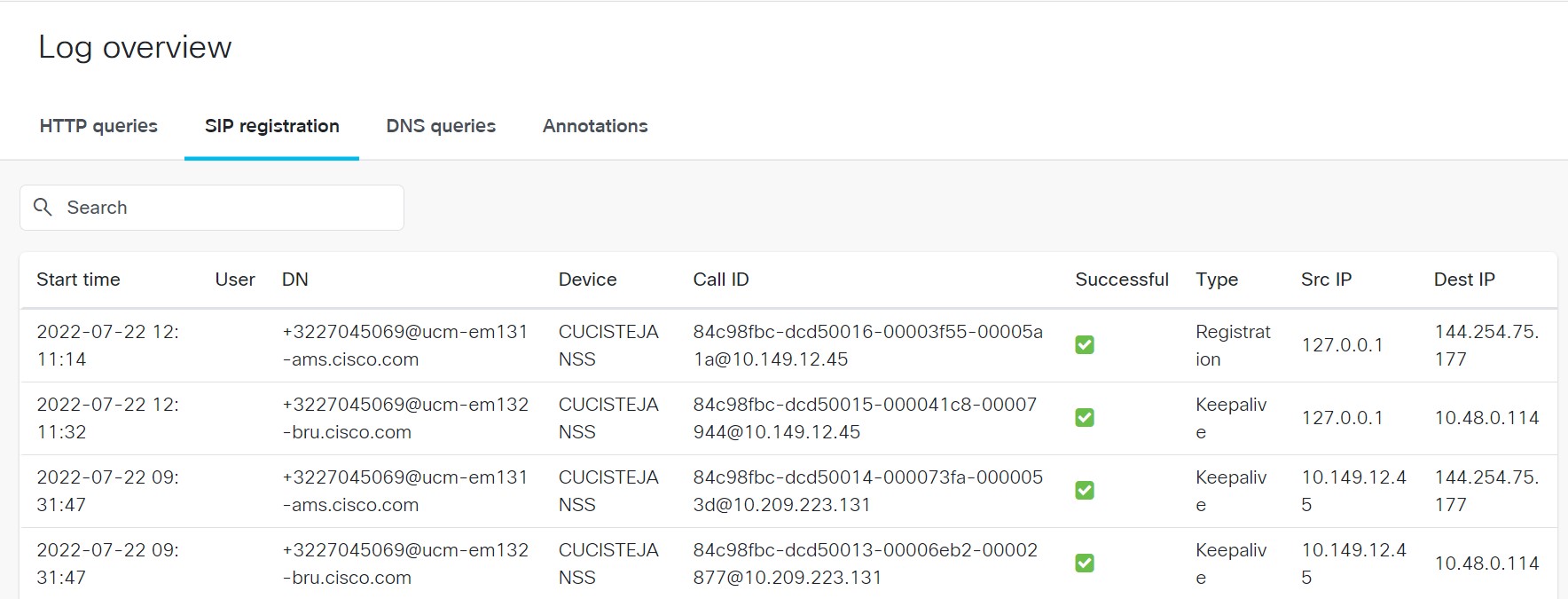
SIP registration - message-level details for the selected registration row, click on a row to view the SIP message details
DNS queries - DNS queries captured in the logs
Annotations - Annotations added to the logs
Call
Signaling - SIP/protocol message sequence for the selected call
Ladder diagram - visual SIP ladder diagram for the selected call
Filtered data - downloadable filtered SDL data for the selected call
SIP Registrations
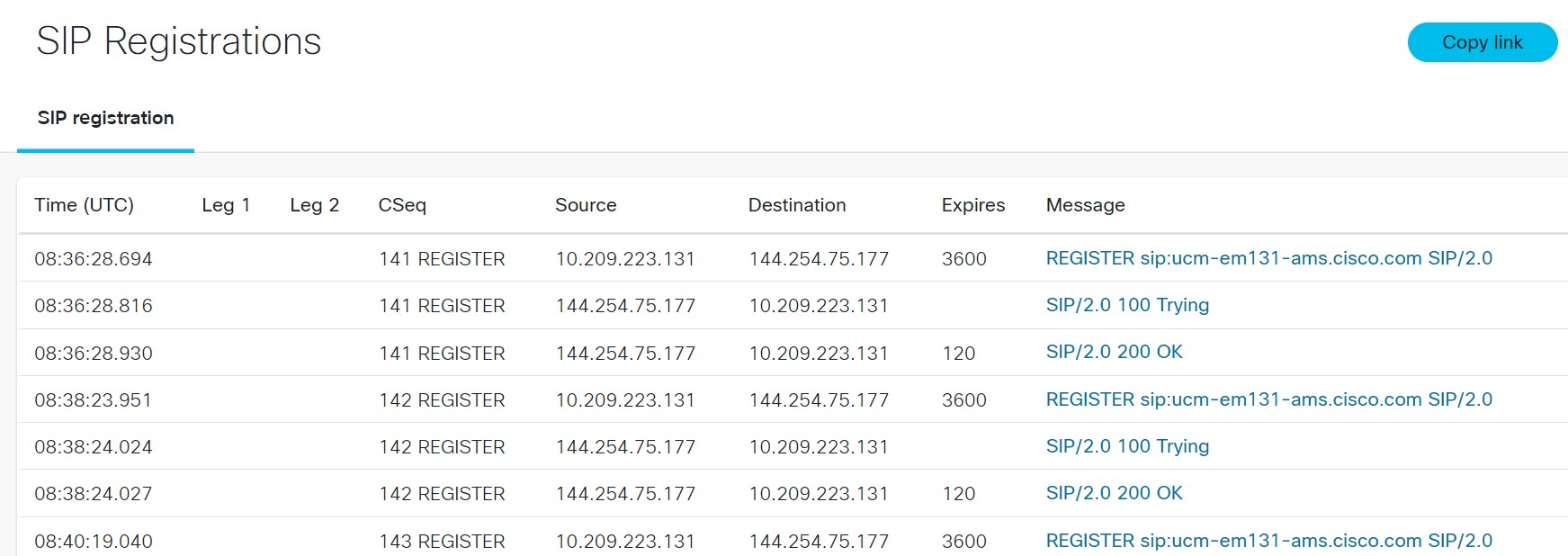
SIP Registration- detailed registration messages between client and server for the selected registration row
SIP messages can be viewed by clicking a row in the SIP registration table.
Sample SIP registration table
Sample SIP message details view
Supported features
SIP Ladder Diagram - Visual representation of SIP signaling flows and message sequences
HTTP Transactions - Analysis of HTTP requests and responses, including headers and payloads
Error Detection - Identification of failed calls, rejected requests, and protocol violations
Jabber client#
Log file format
Upload the problem report (PRT) generated by the Jabber client. All Jabber platforms are supported from version 11.6.
Supported features
SIP calls and registration
DNS requests
HTTP requests
Enterprise phones (On-prem registered)#
Log file format
Upload the log archive generated by the phone. For more information, please refer to this document.
Supported features
SIP calls
SIP registration
Cloud registered phones (MPP)#
Log file format
Upload the problem report (PRT) generated by the MPP phone. For more information about collecting the logs, please refer to this document.
Supported features
SIP calls
SIP registration
RoomOS Endpoints#
Supported log types
RoomOS endpoint log archive for on-prem and cloud registered devices
MTR endpoint logs (included in the RoomOS bundle)
Collection method
Upload the log archive collected from the web interface under Diagnostics -> Log Files. For more information about collecting the logs, please refer to this document.
Supported Views
The Log Analyzer provides multiple views for analyzing RoomOS endpoint logs:
System information
General - overview of the endpoint: product information, codec details, and licenses
Network information - Network configuration and proxy details
Provisioning - Device registration details
Peripherals - All peripherals connected to the endpoint and their status
Video Inputs & Outputs - Information about the video inputs and outputs connected to the endpoint
Diagnostics - Device State history and diagnostic messages
API - API call history
Log overview
Calls - list of calls found in the uploaded logs; click a particular call to view the call details
Annotations - Annotations added to the logs
Supported features
SIP registration and calls
DNS queries
HTTP queries