Contact Center Applications#
CVP (Customer Voice Portal)#
Log file format
Upload the CVP Call Server logs collected from location C:\Cisco\CVP\logs. The log file names should not be changed. In order to analyze SIP calls from CVP, SipLibrary logging should be enabled on CVP CS server. Please refer to this instruction.
Supported features
SIP calls
GED-125 (communication between CVP and ICM)
ECE (Enterprise Chat and Email)#
Log file format
The system decodes and parses the ECE logs, which could be collected from the ECE File server. In order to analyze the EAAS/EAMS(Listener) services the trace level has to be INFO. The log file names should not be changed.
Supported features
EAAS (MR events and internal EAAS messages)
EAMS/Listener (ARM events)
Connections/disconnections statistics (ARM/MR)
IPCC_RTR#
Log file format
Upload IPCC RTR call log file.
Supported features
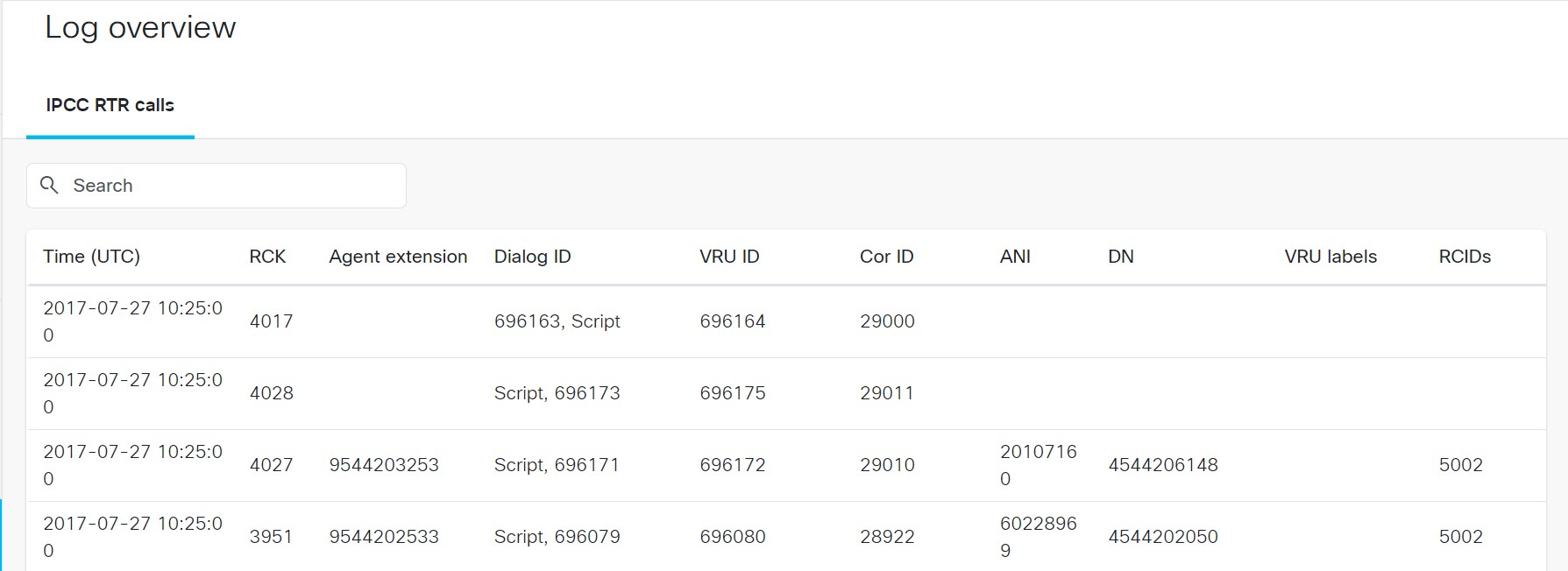
List of RTR calls
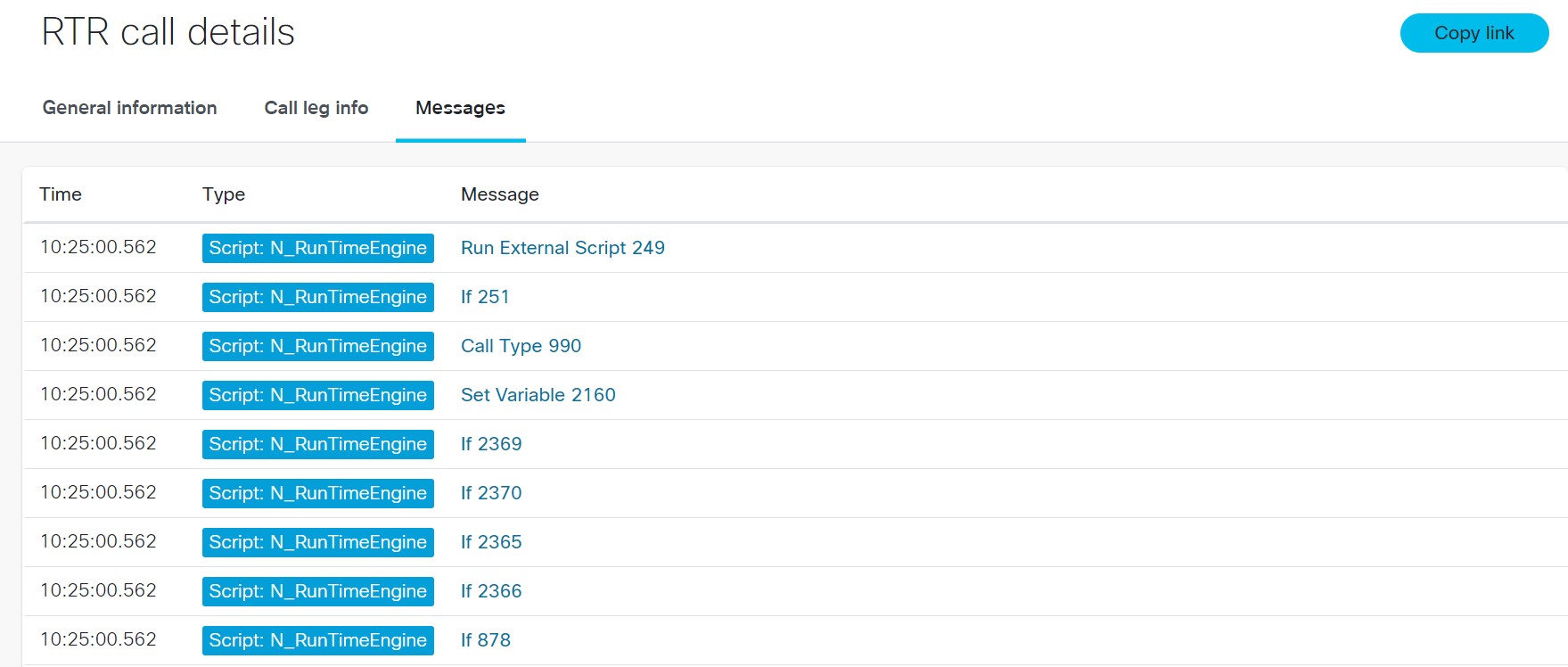
RTR call details
RTR call details can be viewed by clicking on a row in the call table. Call details include messages and call leg info.
Sample tool output
Sample RTR call list
Call details include messages and call leg info.
IPCC_AGENT_PIM#
Log file format
Upload IPCC Agent PIM call log file.
Supported features
List of Agent PIM calls
Agent PIM call details
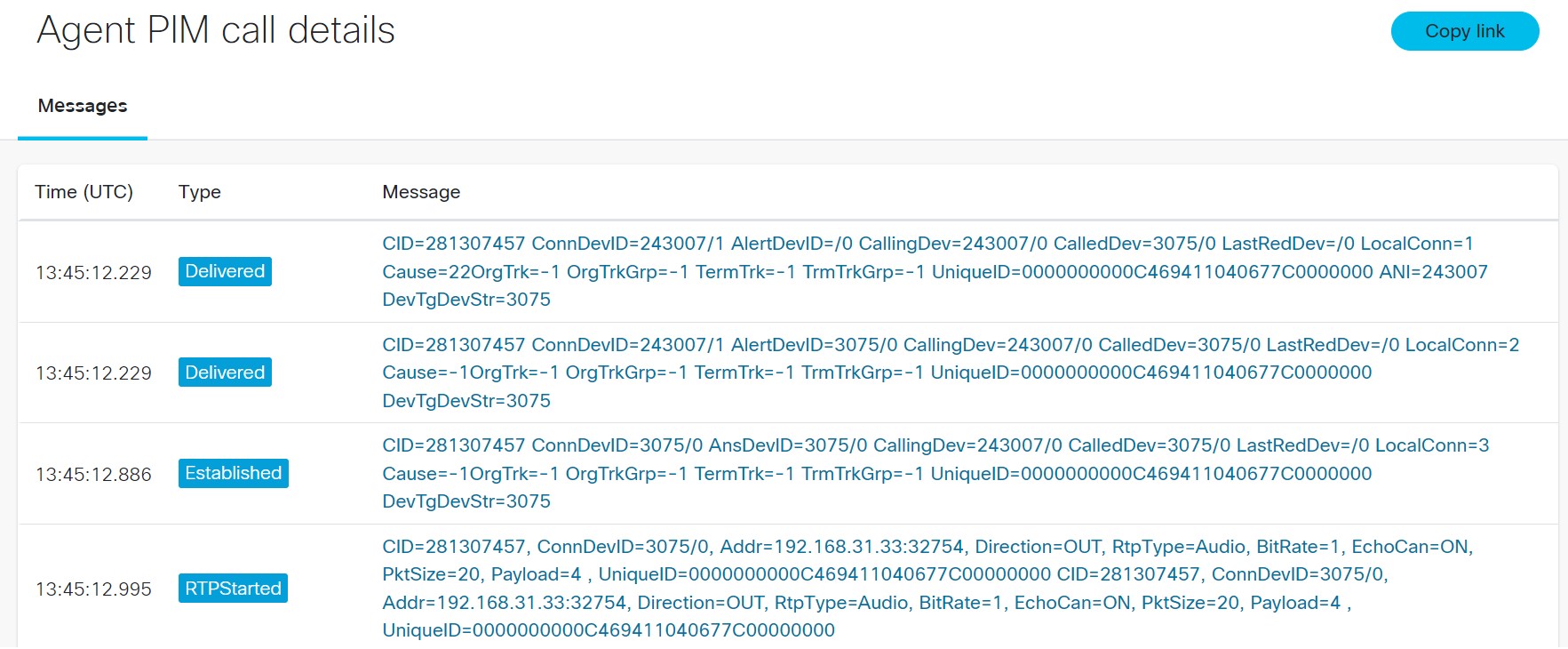
Agent PIMcall details can be viewed by clicking on a row in the call table. Call details show messages of following types.
Established
RTPStarted
RTPStopped
ConnectionCleared
CallCleared
Sample tool output
Sample Agent PIM call list
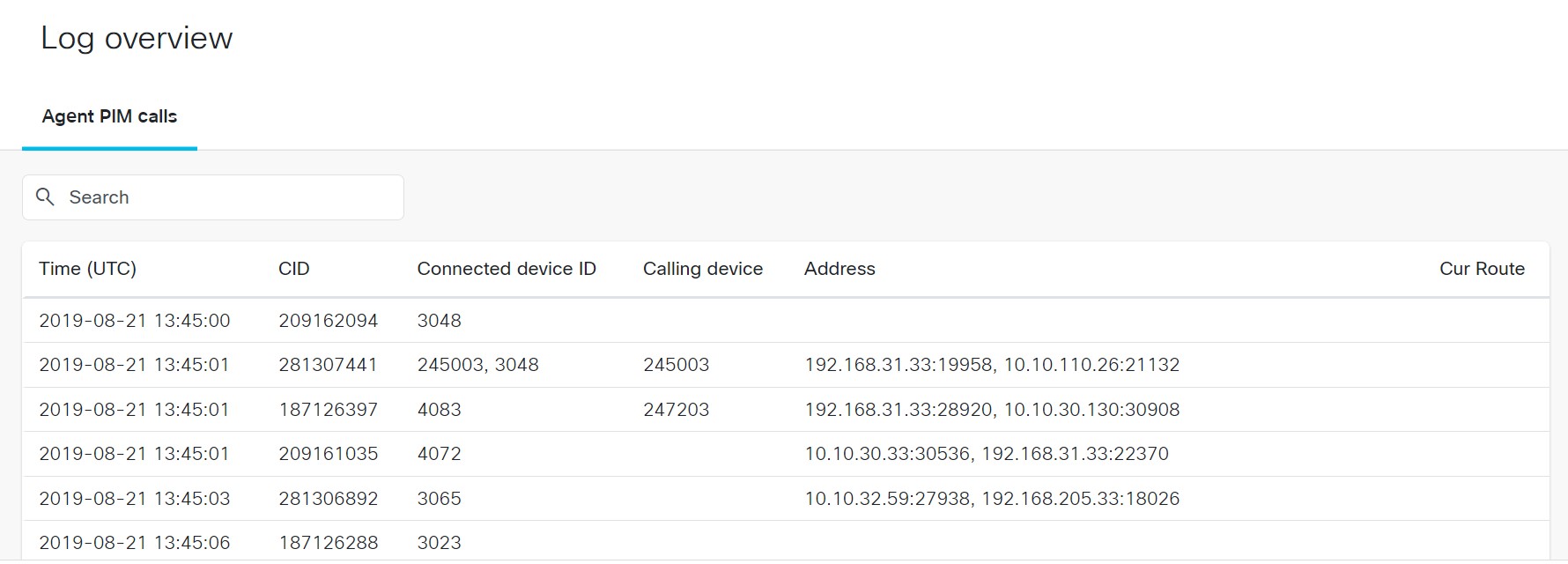
Call details show messages as shown in the below figure
IPCC_CTISRV#
Log file format
Upload IPCC CTI log file.
Supported features
List of IPCC CTI calls
List of IPCC CTI agents
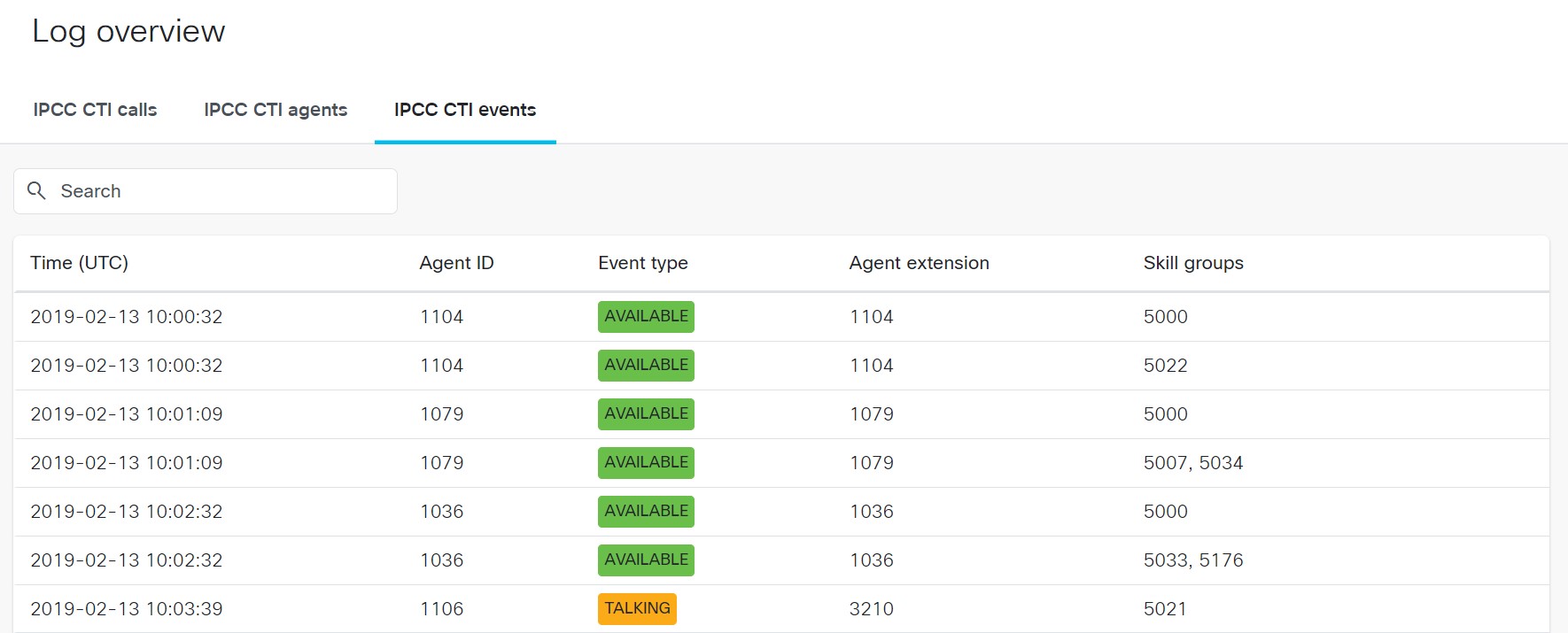
List of IPCC CTI events
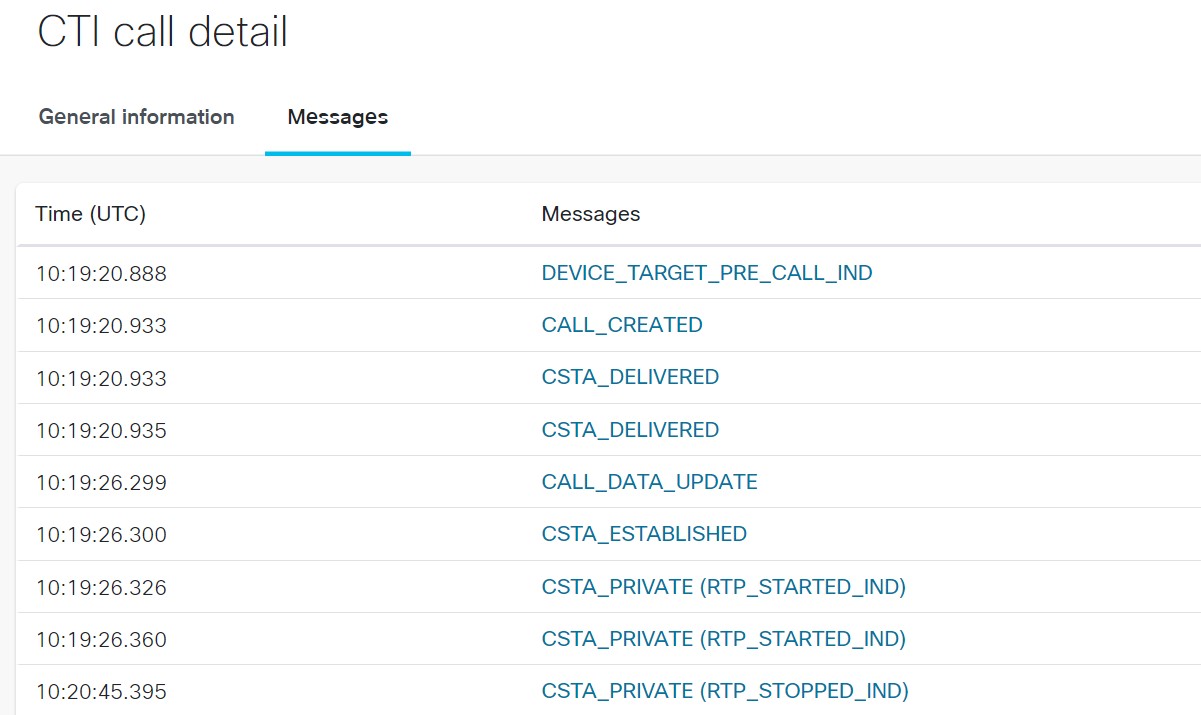
CTI call details
CTI agent details
Message and Message body in CTI events
Sample tool output
Sample CTI Event list
Call details show messages as shown in the below figure
IPCC_VRUPIM(GED-125)#
Log file format
Upload IPCC VRUPIM log file.
Supported features
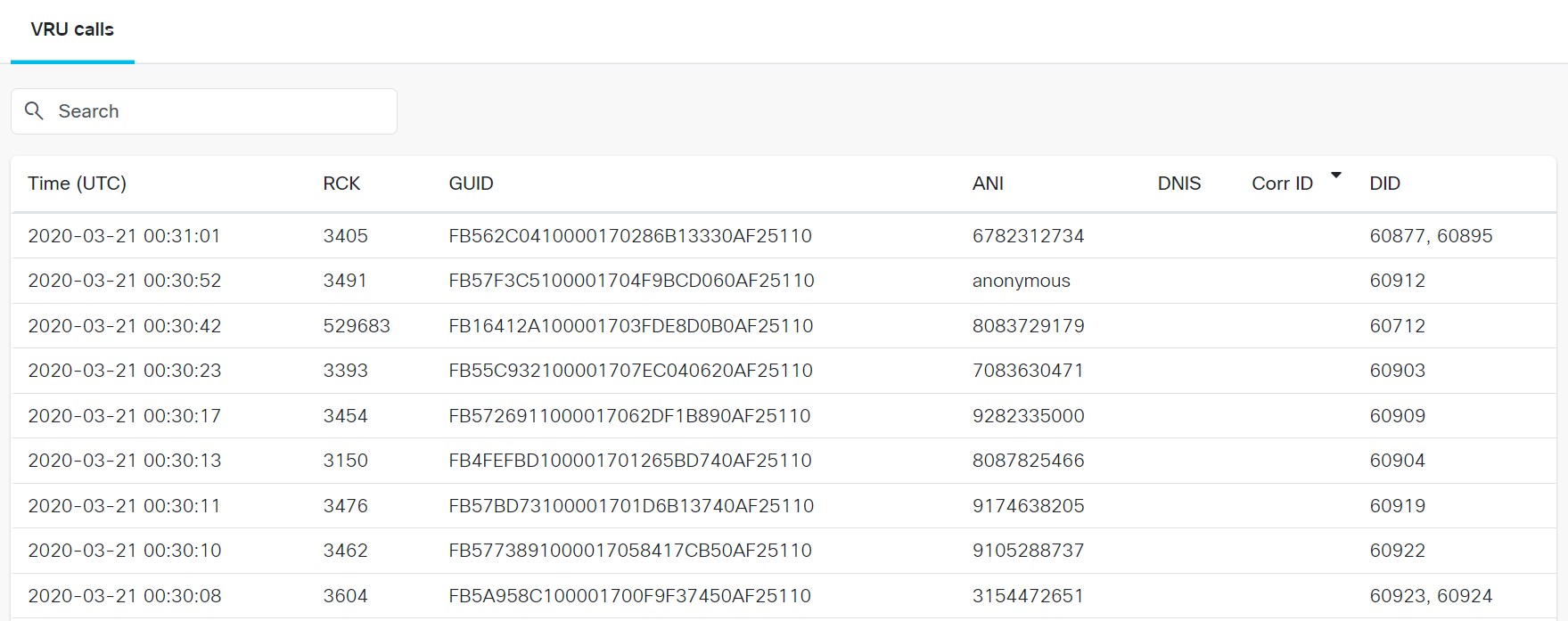
List of VRU calls
VRU call details
Sample tool output
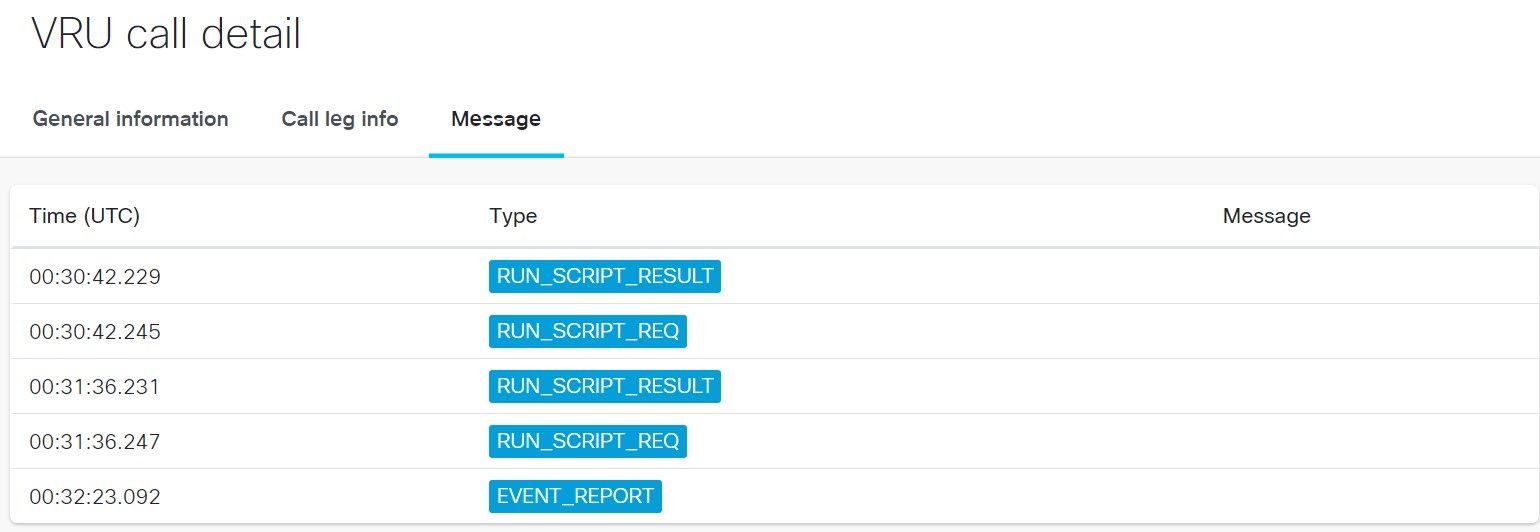
VRU call details can be viewed by clicking on a row in the call table. Call details include messages and call leg info.
Sample VRU calls list
Call details show messages as shown in the below figure